
Small Business Cyber Security: 8 Practical Steps
Small business cyber security comes down to a few practical habits. Keep software updated, turn on multi-factor authentication, back up your data, train staff to spot scams, and control who can access what. Most attacks on small companies rely on weak passwords, unpatched systems and human error rather than sophisticated hacking. The eight steps below cover the measures that protect the most for the least effort.
Table of contents
- Why small businesses are common targets for cyber attacks
- 8 practical steps to secure your small business
- How to protect your business from phishing attacks
- What is the most important cyber security measure?
- How to respond to a cyber security incident
- Common cyber security mistakes small businesses make
- A simple small business cyber security checklist
Why small businesses are common targets for cyber attacks
Small businesses are common targets because attackers assume they have weaker defences and less dedicated IT support than large firms. Automated attacks don’t pick and choose. They scan the internet for any system with a known weakness, and a small company is as visible as a big one.
The reasons a breach succeeds are usually mundane. It’s an unpatched laptop, a reused password, or an employee clicking a convincing phishing email. Attackers also know smaller firms are more likely to pay a ransom quickly to get back to work, and that many have no plan for when something goes wrong.
A large share of all cyber attacks are aimed at small and medium businesses, and plenty of those hit face serious cost and downtime. The cost goes beyond the ransom or the stolen funds, because it also includes days of lost trading, the staff time spent recovering, and the customers who leave after their data is exposed. None of it requires advanced hacking, which is why the basics block most of it.
8 practical steps to secure your small business
Securing a small business is mostly a matter of doing the basics consistently. The eight steps below need little or no budget, and they are listed roughly in order of impact.
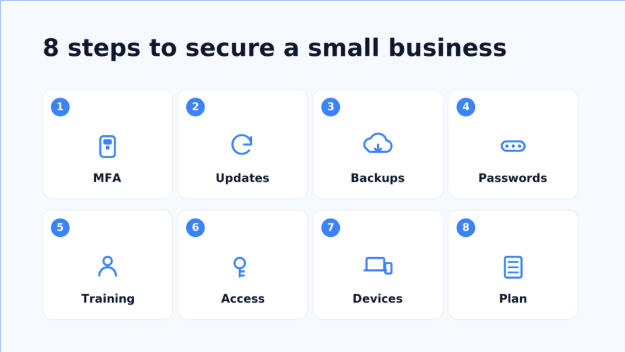
- Turn on multi-factor authentication (MFA). Require a second factor, such as an app code or a hardware key, on email, banking and any admin account. This alone blocks the majority of password-based attacks, because a stolen password is useless without the second factor. Prefer an authenticator app or a hardware key over SMS codes, which can be intercepted.
- Keep everything updated. Turn on automatic updates for operating systems, browsers and apps, and don’t dismiss the prompts to restart. Most breaches exploit flaws that already had a fix available, sometimes months earlier. The same applies to routers, phones and any software running your website.
- Back up your data, and test the backup. Keep at least one backup offline or in a separate cloud account. A common rule is three copies, on two types of media, with one kept off-site. Check regularly that you can actually restore from it, since an untested backup often fails at the worst moment. This is your main defence against ransomware.
- Use strong, unique passwords with a manager. Give the team a password manager so no one reuses the same login across services. Reused passwords are how one leaked site turns into a break-in everywhere else. A manager also makes long, random passwords painless, since no one has to remember them.
- Train staff to spot phishing. Most incidents start with someone clicking a link or opening an attachment. A short, regular briefing on what scams look like pays off more than most tools. Make it easy and blame-free to report a suspicious message, so problems surface quickly.
- Control who can access what. Give each person access only to the systems their role needs, not the whole network. You can enforce this with your identity provider, a managed IT service, or a dedicated corporate access platform such as MXP that grants access by rule and lets you revoke it instantly when someone leaves.
- Secure your devices and Wi-Fi. Enable disk encryption and a firewall on company laptops, and lock down the office router with a strong admin password. Set up a separate guest network so visitors never touch the systems your business runs on. Encryption means a lost or stolen laptop doesn’t turn into a data breach.
- Have a plan for when something goes wrong. Write down who to call, how to isolate an affected machine, and where the backups are. Keep a copy off your systems so you can still read it if they’re locked. A one-page plan saves hours in a crisis.
How to protect your business from phishing attacks
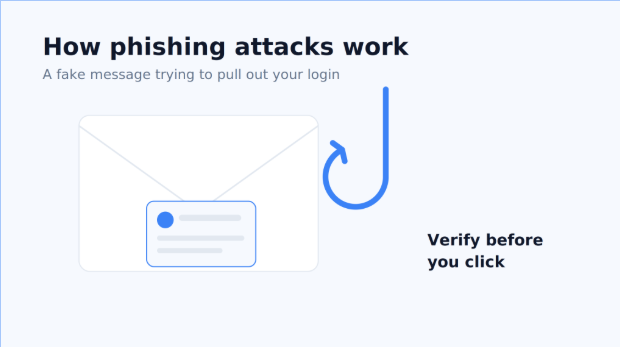
You protect your business from phishing by combining staff awareness with technical filters, because neither works well alone. Train people to pause on any message that creates urgency, asks for login details, or comes from an unfamiliar address, and to verify unusual payment requests by phone before acting on them.
On the technical side, turn on your email provider’s spam and anti-phishing filters, and enable MFA so a phished password can’t be used on its own. Set up mail authentication for your domain (SPF, DKIM and DMARC) so attackers find it harder to send emails that appear to come from you. Send occasional test phishing emails to see who clicks, then use the results to coach people. The aim is a team that reports suspicious messages quickly and openly.
What is the most important cyber security measure?
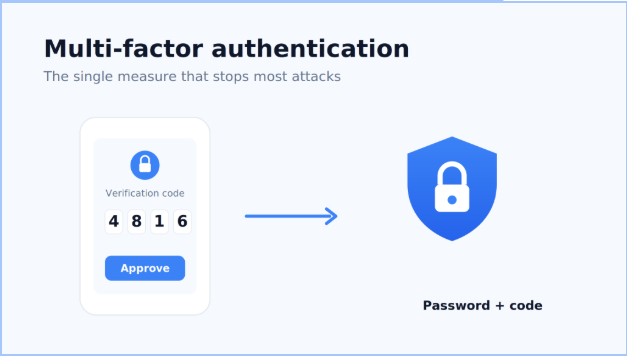
If you can only do one thing, turn on multi-factor authentication. Passwords get stolen, guessed and leaked constantly, but MFA means a stolen password on its own is not enough to get in. It’s free on most services and takes minutes to enable.
After MFA, the highest-value measures are patching and backups. Updates close the holes attackers actually use, and a tested backup is what lets you recover from ransomware without paying. Together, MFA, updates and backups stop the large majority of common attacks. More advanced controls matter, but they protect far less if the basics aren’t in place first.
How to respond to a cyber security incident
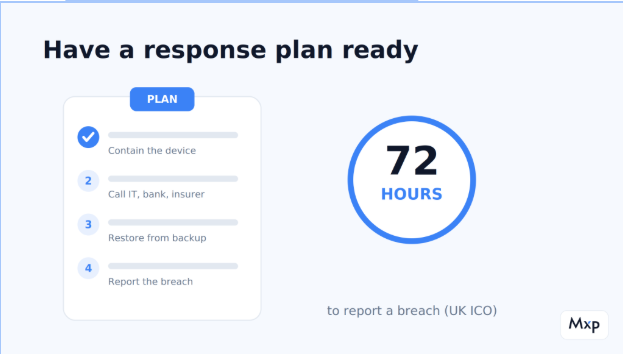
The first step in responding to a cyber security incident is to contain it. Disconnect the affected device from the network so the problem can’t spread, but don’t switch it off if you may need it as evidence. Then work through a prepared plan rather than improvising under pressure.
A basic response plan names who is in charge and who to call, such as your IT support, your bank, and your insurer, including how to reach them out of hours. It sets out how to isolate systems, where the backups are and how to restore them, and when you’re legally required to report a breach. In the UK, certain personal-data breaches must be reported to the ICO within 72 hours. Write this on one page while things are calm, and keep a printed copy in case your systems are down when you need it.
Common cyber security mistakes small businesses make
The biggest mistake is assuming you’re too small to be a target. Attacks are automated and indiscriminate, so size offers no protection.
Other common errors follow from that belief. Businesses reuse passwords across accounts, delay updates because they’re inconvenient, and give every employee admin rights out of habit. Many keep backups on the same network as the live data, so ransomware encrypts both at once. Some pay for security tools but never configure or check them. And plenty have no idea what to do in the first hour of an incident, which is when quick action matters most.
A simple small business cyber security checklist
Use this checklist to see where you stand:
- Multi-factor authentication is on for email, banking and admin accounts.
- Operating systems and apps update automatically.
- Data is backed up off-network, and the restore has been tested.
- Every employee uses a password manager and unique logins.
- Access is limited to what each role needs, and removed when people leave.
- Staff have had recent training on phishing.
- You have a written, one-page incident plan.
Frequently asked questions
What is cyber security for small business?
Cyber security for a small business is the set of measures that protect its systems, data and accounts from attack, such as multi-factor authentication, software updates, backups and staff training. The goal is to make the easy attacks fail, since most incidents rely on weak passwords or unpatched software. It doesn’t require a large budget, just consistency.
How much should a small business spend on cyber security?
There’s no fixed figure, but the highest-impact measures cost little. MFA, updates and staff training are largely free. Paid tools like a password manager, backups and access control are modest per-user costs that scale with team size, so spending grows with the business rather than upfront.
What is the biggest cyber security threat to small businesses?
Phishing is the most common starting point, where an employee is tricked into revealing a password or opening malware. Ransomware, which locks your files until you pay, is the most damaging outcome. Both are usually prevented by MFA, staff awareness and tested backups.
Do small businesses really get hacked?
Yes, frequently. A large share of cyber attacks target small and medium businesses, largely because attacks are automated and hit any exposed system regardless of company size. Many affected firms face serious cost and downtime, which is why basic defences matter.
How can a small business prevent a ransomware attack?
Keep tested backups off your main network so you can restore without paying, turn on MFA to block stolen-password access, and patch software promptly to close the flaws ransomware exploits. Limiting who can access what also stops an infection spreading across the whole network. No single step is enough on its own.
What is the first step in securing a small business?
Turn on multi-factor authentication across email, banking and admin accounts. It’s free, quick, and blocks the majority of attacks that rely on a stolen or guessed password. From there, move on to updates, backups and access control.